CAF Initiator
The caf-init CLI — detects your stack and writes CAF's knowledge base, agents, commands and skills.
CAF Initiator prepares a repository for CAF. Its CLI, caf-init, detects the stack,
package manager and ticket tracker, then writes CAF's starter files: knowledge base,
agent definitions, workflow docs, slash commands and skills.
caf-init never calls an AI model. Everything it writes is a deterministic draft
built from what it detected; anything it could not detect is left as a TODO, never
guessed.
CAF follows Spec-Driven Development. The agents caf-init generates write
and respect a spec: the Planner writes requirements.md (with numbered acceptance
criteria) before tasks.md, the implementation agents and the Validator check their
work against those criteria, and nobody edits an approved spec. These are
instructions inside the generated files; caf-init does not check that an agent
followed them.
CAF Initiator is pre-1.0 (
v0.1.11), published on npm ascaf-initiator. Source: github.com/coderiumid/caf-initiator.
Quick start
# 1. Preview — detects the stack and lists what would be written
npx -p caf-initiator caf-init scaffold --dry-run

# 2. Generate the drafts (asks before each step)
npx -p caf-initiator caf-init scaffold

# 3. Optional: add the CAF skills
npx -p caf-initiator caf-init scaffold skills

# 4. In your AI runner (e.g. Claude Code), fill in the TODOs
/caf-complete-drafts

# 5. Check the result, then review the diff and commit
npx -p caf-initiator caf-init curate --check-drafts
Run from inside the target repository, or pass --dir <path>.
Installation
Requires Node.js 18 or newer.
npm install -g caf-initiator # then: caf-init <command>
Or run it without installing, with npx -p caf-initiator caf-init <command>.
What gets generated
<your repo>/
├── CLAUDE.md                        # project context for agents (draft)
├── AGENTS.md                        # concrete rules for agents (draft)
├── .caf/
│   ├── tasks/README.md              # per-ticket artifact convention
│   ├── knowledge/
│   │   ├── INDEX.md                 # status of the optional reference docs
│   │   ├── golden-examples/         # RULES.md pointing at your best files
│   │   └── decisions/               # ADR drafts
│   ├── workflows/
│   │   ├── task-completion.md       # Definition of Done
│   │   ├── piv-workflow.md          # Plan → Implement → Verify
│   │   └── agent-handoff.md         # artifact formats
│   └── .generate-manifest.json      # section baselines, written by `curate`
└── .claude/
    ├── agents/caf-*.md              # agent definitions
    ├── commands/caf-*.md            # companion slash commands
    └── skills/caf-*/SKILL.md        # only with `scaffold skills`
Setup also appends ignore rules for .caf/discovery/*/ and .caf/audits/*/ to
.gitignore.
The per-ticket folders under .caf/tasks/<TICKET-ID>/ (requirements.md,
tasks.md, verify-report.md, ...) are written at runtime by the agents — CAF
Initiator only scaffolds the convention.
The default roster
A new repo gets five agents and five slash commands.
| Agent | Role | Tools | Writes |
|---|---|---|---|
caf-planner | Turns a ticket or chat request into a spec: Specify → Clarify → Plan → Tasks. Never touches code | Read, Write, Glob, Grep | requirements.md, tasks.md, optionally design.md or breakdown.md |
caf-frontend, caf-backend | Implement per the spec, then self-verify | Read, Write, Edit, Bash | code and verify-report.md |
caf-validator | Checks every acceptance criterion by running its evidence itself. Reports, never fixes | Read, Write, Bash | validate-report.md |
caf-reviewer | Qualitative review against the spec and the diff. Verdict APPROVE / CHANGES REQUESTED / DEFER | Read, Write, Bash | review-notes.md, and fix-review-log.md in fix mode |
| Command | What it does |
|---|---|
/caf-plan | Runs the Planner on a ticket or a chat message and stops when the spec is written. May create tickets from breakdown.md, one at a time, only after a "yes" per ticket and only when a tracker tool is connected |
/caf-run | Runs the whole Delivery pipeline in one Claude Code session, without the Orchestrator (formerly /caf-run-pipeline) |
/caf-review | Full review of a PR, posted as a GitHub PR review |
/caf-fix-review | Handles human review comments on a PR |
/caf-complete-drafts | Fills in the TODOs in the drafts, from the code and your answers |
/caf-review and /caf-fix-review are also the names of the Orchestrator's PR
comment commands.
No longer scaffolded
The spec-driven design dropped some roles. A new repo does not get them, and none of them can be picked in the agent picker:
| Not written by a new scaffold | |
|---|---|
| Agents | caf-architect (the Planner writes design.md through the caf-design skill), caf-qa (replaced by caf-validator), caf-implementer (replaced by caf-frontend + caf-backend), caf-documentation, caf-devops, caf-pm, caf-ux-designer, caf-auditor |
| Commands | /caf-run-pipeline (now /caf-run), /caf-plan-ticket (now /caf-plan), /caf-discovery-start, /caf-discovery-to-ticket, /caf-audit-scan, /caf-audit-to-ticket, /caf-design-ticket, /caf-qa-check, /caf-review-ticket, /caf-feature-catalog-sync |
A repo scaffolded earlier keeps every file it already has. No file is deleted or
rewritten, and curate still recognizes those agent kinds and syncs them as before.
The Discovery, Audit and Release clusters are still part of the CAF design, run
manually case by case; they are just no longer scaffolded.
Commands
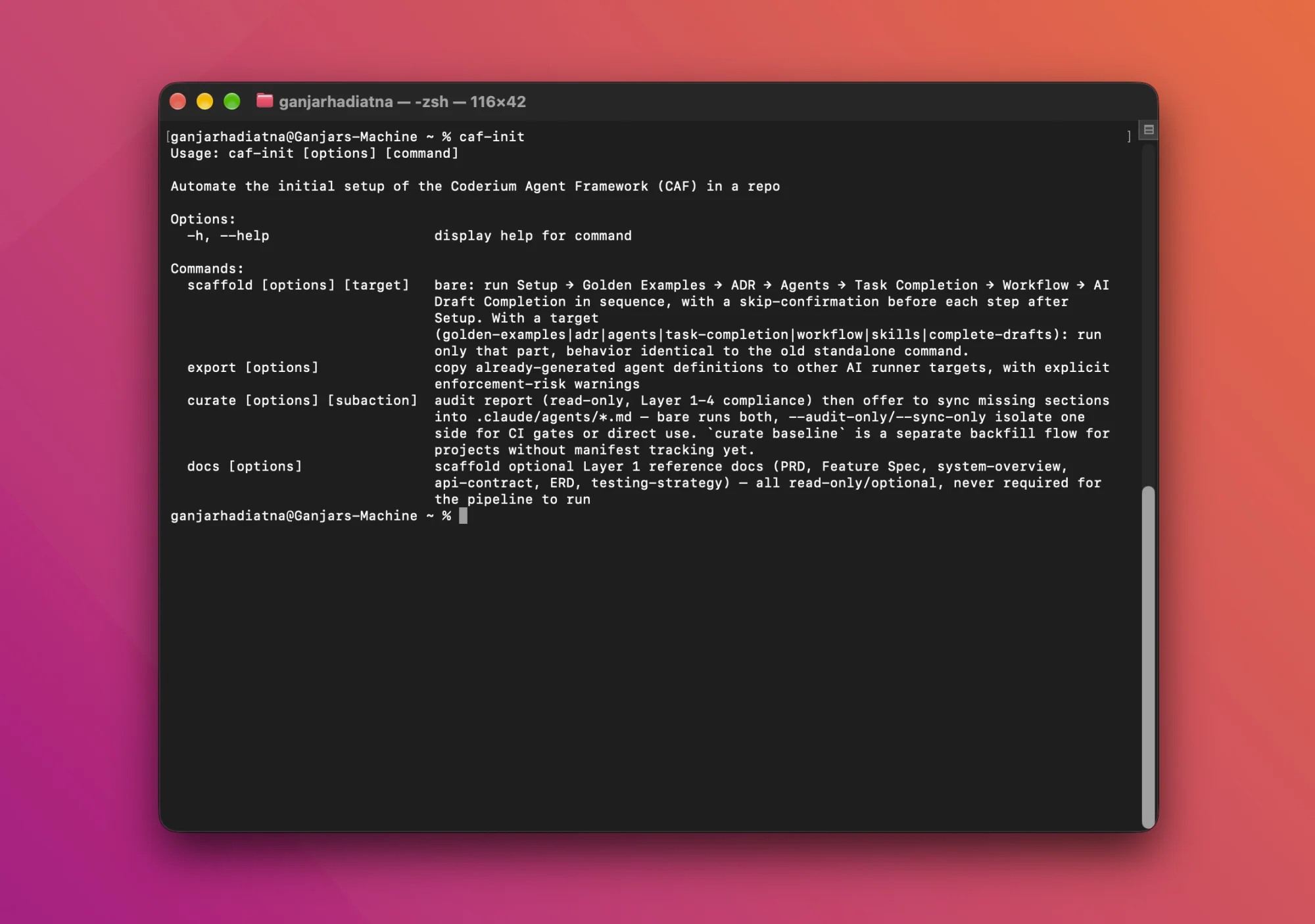
caf-init with no subcommand prints help.
| Command | What it does |
|---|---|
caf-init scaffold | Run the whole setup chain, confirming each step |
caf-init scaffold <target> | Run one part of it |
caf-init curate | Audit an existing CAF setup, then offer to sync agent sections with the current templates |
caf-init curate --check-drafts | Read-only check of the drafts after they were filled in |
caf-init curate baseline | Record the current agent sections as the tracking baseline |
caf-init docs | Scaffold optional reference docs under docs/ |
caf-init export | Copy agent definitions and commands to other AI runners |
Every command accepts --dir <path> (default: current directory). --dry-run shows
what would happen without writing.
caf-init scaffold
Bare scaffold runs these steps in order, asking before each one after Setup:
| Step | Target name | Output |
|---|---|---|
| Setup | (always first) | CLAUDE.md, AGENTS.md, .caf/tasks/README.md, .caf/knowledge/INDEX.md. Checks for existing AI-tool config first; detects stack and tracker |
| Golden Examples | golden-examples | Lets you pick reference files; writes RULES.md with a do/don't skeleton |
| ADR | adr | ADR drafts for technical decisions already visible in the repo |
| Agents | agents | The agent definitions you select, plus their companion slash commands |
| Task Completion | task-completion | .caf/workflows/task-completion.md from the verify scripts in package.json |
| Workflow | workflow | piv-workflow.md and agent-handoff.md from the agent roster |
| AI Draft Completion | complete-drafts | The /caf-complete-drafts command |
One more target exists but only runs when named explicitly:
| Target | Output | Why it is not in the chain |
|---|---|---|
skills | .claude/skills/caf-*/SKILL.md | It offers to edit agent definitions that already exist |
Notes:
scaffold workflowneeds an agent roster; runscaffold agentsfirst.- Agents on offer: Planner, Frontend and Backend, Validator, Reviewer. In a monorepo
Frontend and Backend are assigned per app (each can take more than one app; the
generated agent then lists every app in its scope and reads the app tag on each task
line in
tasks.md, e.g.- [ ] (apps/web) Fix email validation). InSINGLE_REPOthey are two whole-repo agents. CAF recommends starting with Planner plus one implementation agent. - Commands written:
/caf-planwith the Planner,/caf-run(Planner plus an implementation agent),/caf-reviewand/caf-fix-review(Reviewer) after a confirmation each, and/caf-complete-draftsfrom its own step. - The tracker is detected from
.linear/,atlassian.ymlor a README mention. Otherwise you are asked (Linear, Jira, GitHub Issues); it is never silently defaulted.
Options:
| Option | Description | Default |
|---|---|---|
--dir <path> | Target repo directory | current directory |
--dry-run | Show detection results without writing anything | false |
--app <app-path> | Restrict to one app. Used by golden-examples, adr, agents, task-completion | all apps |
--agent-dir <path> | Where agent definitions are read and written | .claude/agents |
--command-dir <path> | Where slash commands are written | .claude/commands |
--force | Overwrite existing files. agents target: agent definitions and their commands. skills target: SKILL.md files only. Manual edits in an overwritten file are lost and the curate manifest is not updated | false |
--mode <single|mono> | Override the detected repo mode | auto-detect |
--scope <dirs...> | SINGLE_REPO, agents target: limit the implementation agents to these directories | whole repo |
--role <frontend|backend> | SINGLE_REPO, agents target: generate only one implementation agent, as caf-frontend.md or caf-backend.md | both agents |
caf-init scaffold skills
Writes nine skills into .claude/skills/<name>/SKILL.md.
| Skill | What it tells the reader | Agents that point at it |
|---|---|---|
caf-self-verify | The repo's real lint, typecheck, test and build commands (formerly caf-verify) | Frontend, Backend, Validator |
caf-scope-discipline | Stay inside the task's scope; report what is outside it, don't fix it | Frontend, Backend, Planner, Reviewer |
caf-no-guess | Cite what you read; an unknown becomes an open item, never an invented fact | all of the above |
caf-escalate | When to stop and hand the task back to a human | Frontend, Backend |
caf-piv | Plan, wait for the go-ahead, implement, verify | none (manual sessions only) |
caf-spec | The requirements.md format: scope, findings, assumptions, open questions, acceptance criteria with a Verify: line (v4) | Planner |
caf-traceability | Link every acceptance criterion to tasks, code and a named test; one evidence line per criterion in verify-report.md | Planner, Frontend, Backend, Validator — written as a DRAFT, so no pointer yet |
caf-design | The design.md format, for tickets that cross apps, change a schema or change a contract | Planner |
caf-breakdown | The breakdown.md format, a proposal to split a request that holds more than one outcome | Planner |
How a skill reaches its reader
- Manual session. Claude Code picks skills up through their frontmatter
description, so a free-form coding prompt still gets the PIV, verification and scope rules. - CAF agent. The agent definition gets a
## Skillssection listingReadpointers to the skill files. Askills:frontmatter key is not used because it is ignored when an agent is started withclaude --agent.
DRAFT skills
A skill with a DRAFT banner is not active: agents are told to ignore it and no agent
gets a pointer to it.
caf-self-verifyis built from the scripts detected inpackage.json. If one of the four slots has no script, that slot is written as aTODOline and the skill gets the banner. Resolve theTODOlines and remove the whole banner (both the> DRAFT ...sentence and the> Agents: this skill is NOT ready...line) to activate it.caf-traceabilityis written with the banner in every repo and has noTODOline. Remove the banner once you have tested the skill in a real agent run.caf-spec,caf-designandcaf-breakdownare active: they are written without a banner and the Planner is pointed at them, because each passed a test with real agent dispatches.
A skill file that already exists is never replaced. To get a newer version, delete the
file and run scaffold skills again.
Pointers in existing agent definitions
- For each agent without a
## Skillssection you get a preview and a per-file confirmation. - The write happens only if the new content is the old content plus exactly that one section.
- An agent that already has a
## Skillssection is never edited. If a pointer is missing there, the command names it and you add the line yourself. - An agent file whose name is not a known CAF kind or an app slug is not offered the section and is not edited.
- Agents generated by
scaffold agentsafter this target get their pointers automatically.
Other rules
- An existing
SKILL.mdis never overwritten, unless--forceis passed. - A skill is not written if a folder with the same name minus the
caf-prefix exists (caf-self-verify/vsself-verify/). Exit code 1. - A repo that still has
.claude/skills/caf-verify/keeps it untouched:caf-self-verifyis written next to it and one note says to move the agents' pointers by hand, then delete the old folder. ## Skillsis not tracked bycurate: it is never reported as drift and never rewritten by a sync.
Agents follow skills with high but not perfect reliability. Skills are guidance; enforcement stays with the Validator and Reviewer stages.
caf-init scaffold complete-drafts
Generates .claude/commands/caf-complete-drafts.md, a command you run in your AI
runner to fill in the TODOs that the other steps left behind.
The command makes the AI work in four phases: read the repo, report a plan and its questions and stop for your answers, fill in the drafts, verify. It is instructed to:
- take facts only from the code and cite the file (verification commands, conventions, concrete rules);
- never invent human-owned content such as business context, PRD, ADR reasoning or
golden-example choices. Those come only from your answers; otherwise the
TODOstays; - edit only
Role,ScopeandVerify Checklistin agent definitions, leaving tracked sections,## Skillsand the frontmatter alone; - work only on skills that still carry a
DRAFTbanner, and never invent a verification command; - never commit or push.
When agent definitions exist, this step offers to record their baseline first. Say yes: without a baseline taken before the AI runs, a changed tracked section cannot be detected afterwards.
caf-init curate
Bare curate prints an audit report and then offers to sync agent sections: update
the ones that drifted from the template, and add tracked sections that are missing
(each addition is confirmed separately). Use the flags to run one side only.
| Option | Description | Default |
|---|---|---|
--dir <path> | Target repo directory | current directory |
--agent-dir <path> | Directory containing the agent definitions | .claude/agents |
--audit-only | Report only, non-interactive. Exit code 1 on required gaps (for CI) | false |
--sync-only | Skip the report and go straight to the sync | false |
--check-drafts | Read-only check of completed drafts (see below) | false |
--output <file> | Also save the audit report as Markdown | none |
--dry-run | With --sync-only or baseline: show what would happen, no writes, no prompts | false |
--yes | With baseline: skip the confirmation prompt | false |
--mode <single|mono> | Override the detected repo mode | auto-detect |
Which agent files curate recognizes
A .claude/agents/*.md file is recognized by its name: a known kind (caf-<kind>.md,
or <kind>.md), or <app-slug>.md for an app that caf-init detected (the per-app
implementation agent). Any other name is skipped and reported with a warning — never
compared with a template, synced, baselined or offered a ## Skills section. This
holds for curate (audit and sync), curate baseline, curate --check-drafts and
scaffold skills.
curate audit: oneunknown-kindwarning per such file; no gap, exit code unchanged.curate sync,curate baseline: the file is left byte-identical, gets no baseline, and the run lists it as skipped.curate --check-drafts: oneWARN, never aFAIL.- Known limit: an agent you wrote by hand under a name equal to an app slug is treated as that app's implementation agent.
Section tracking
For sections whose content depends only on the agent's kind, curate compares the
actual content against the current template, so a template fix can reach agents
generated earlier.
Tracked sections: Allowed Tools, Input, Output, Working Pattern (PIV),
Retry Logic, What to Look For (Auditor only) and Report Format (Validator,
Reviewer, QA, Auditor).
Not tracked: Role, Scope, Verify Checklist, Constraints, Skills. They hold
per-project data.
Each tracked section has a baseline hash in .caf/.generate-manifest.json.
Comparing baseline, current file and current template gives one of five statuses:
| Status | Meaning | What curate sync does |
|---|---|---|
IN_SYNC | File matches baseline and template | nothing |
DRIFT | File unchanged since baseline, template changed | updates the section and the baseline |
CUSTOMIZATION | File edited since baseline, template unchanged | never written; reported |
CONFLICT | Both file and template changed | never written; reported |
UNTRACKED | No baseline yet | never written; run curate baseline |
Only DRIFT is ever written, and DRIFT requires the file to match its baseline
exactly. A section you edited by hand can therefore never be overwritten.
Input of the QA and Reviewer agents in a monorepo also names the apps assigned at
generate time. curate reads that list back from the section itself, so
a sync keeps it. If the list cannot be read with certainty (the sentence was
reworded), the section is never treated as DRIFT: it is left untouched and
curate --sync-only lists it as not comparable.
New spec-driven rules reach an existing repo through ## Output, so they arrive as an
ordinary DRIFT: the Planner's spec workflow and language rule, the implementation
agents' and the Reviewer's spec rules, and the Validator's per-criterion rules.
Rollout warnings
Some parts of a template change never reach an agent file through curate sync: the
frontmatter, the ## Skills section and the Planner's ## Constraints. The audit
report lists them as warnings, marked !:
| Warning | When | What to do |
|---|---|---|
tools: differs | The frontmatter tools: list of an agent is not the list the template gives its kind (order does not matter) | Edit the frontmatter line by hand, or leave it if you changed it on purpose |
Planner ## Constraints differs | The section of caf-planner.md is not the text of the template | Edit the section by hand to the current template text, or leave it |
| Skill pointer missing / skill renamed | An active skill mapped to the agent's kind is not listed in its ## Skills; or an agent still points at caf-verify while caf-self-verify is active | With a ## Skills section: add the pointer line by hand. Without one: run caf-init scaffold skills |
They are warnings only: counted on their own summary line, never a gap, and they
never change the exit code (also with --audit-only). A skill that still has its
DRAFT banner is never asked for.
Commands, skills, agent-handoff.md and piv-workflow.md are written once and are
not tracked: to get newer text in a repo scaffolded earlier, delete the file and run
scaffold agents, scaffold skills or scaffold workflow again.
caf-init curate baseline
Records the current content of every untracked section as its baseline. It never edits file content and does not check whether that content matches the template, so review the sections first.
caf-init curate --check-drafts
Read-only check after /caf-complete-drafts or manual editing. Exit code 1 on any
FAIL. Cannot be combined with --audit-only or --sync-only.
| Check | Level |
|---|---|
| A tracked agent section changed or was removed since its baseline | FAIL |
A <pm> run <script> command names a script that does not exist in the relevant package.json | FAIL |
A generate-time {{...}} placeholder is left (runtime tokens like {{TICKET-ID}} are fine) | FAIL |
A golden-example path in a RULES.md table does not exist | FAIL |
An agent's ## Skills section points at a skill file that does not exist | FAIL |
| A tracked agent section has no baseline, so it cannot be verified | WARN |
A file path cited in CLAUDE.md, AGENTS.md or docs/ does not exist | WARN |
The DRAFT banner is gone from CLAUDE.md, AGENTS.md, a RULES.md or a docs/ file | WARN |
An agent's ## Skills section points at a skill that still has its DRAFT banner | WARN |
A skill has open TODO lines but no DRAFT banner | WARN |
A skill's DRAFT banner was only partly removed, so agents would ignore the skill forever | WARN |
| An agent file of an unknown kind (its sections are not checked) | WARN |
TODOs still open, per file (in a skill: only lines that start with TODO) | INFO |
The check covers what code can verify. Whether the business content is true is still
yours to review. Agent frontmatter (tools:) is not covered by the baseline; check
it in the diff.
caf-init docs
Scaffolds optional reference docs. None of them is required for the CAF pipeline, existing files are never overwritten, and interactive mode asks per item.
Item (--include) | File |
|---|---|
product | docs/product/prd.md |
architecture | docs/architecture/system-overview.md |
schema | docs/schema/erd.md |
testing-strategy | docs/testing-strategy.md |
api-contract | docs/api-contract.md (only offered when frontend and backend are separate apps in the same repo) |
--feature <name...> | docs/product/features/<name>.md |
Also accepts --dir, --dry-run and --mode.
caf-init export
Copies the Claude Code agent definitions, slash commands or both to other AI runners, converting the format where needed.
| Runner | Agents go to | Commands go to | Scope enforcement |
|---|---|---|---|
| OpenCode | .opencode/agent/ | .opencode/commands/ | known enforcement bugs |
| Cline | .cline/agents/ | .clinerules/workflows/ | relies on model compliance only |
| Cursor | .cursor/agents/ | .cursor/commands/ | not yet validated |
| Kiro | .kiro/agents/ | .kiro/steering/ | not yet validated |
Only Claude Code is validated to technically enforce an agent's tool and scope restrictions. Before it writes, the command shows this warning and asks you to confirm the risk (default: No). You can also publish to a custom folder. Skills are not exported.
| Option | Description | Default |
|---|---|---|
--dir <path> | Target repo directory | current directory |
--agent-dir <path> | Source directory of the agent definitions | .claude/agents |
--kind <agent|command|both> | What to publish | agent |
--dry-run | Show what would be published without writing | false |
--force | Overwrite files that already exist at the destination | false |
--kind defaults to agent only. Pass --kind both (or --kind command) if the
companion slash commands need republishing too; otherwise a --force run refreshes
the agents and leaves stale commands at the destination.
What the generated agents do
These are instructions in the generated agent files. caf-init does not check that an
agent followed them. See Spec-Driven Development for the whole flow.
Planner
- Has
Read,Write,GlobandGrep(the last two are read-only, so it looks up facts about the repo by itself). NoEdit, noBash. - Reads the files already in the task folder before writing anything, so it never overwrites an approved spec with a draft.
- Reads what it claims: a
Finding:or an acceptance criterion about how a file behaves comes from a file it opened in that run. A claim from neither a file nor the ticket is writtenAssumption A-n:with its basis. - Writes one observable behavior per acceptance criterion (
AC-n), each with aVerify:line, and endstasks.mdwith## Coverage, a map from criterion to the tasks that serve it. - Writes
Tidak adafor a section with nothing to say, never a placeholder. - Writes no
tasks.mdwhile aBLOCKINGquestion has noAnswer:. On a ticket run nobody answers in chat, so it writesStatus: NEEDS_CLARIFICATIONand stops; CAF Orchestrator pushes the draft and asks on the ticket. - Does not edit an approved spec. A requested change goes into
verify-report.mdunder## Proposed Spec ChangeswithStatus: NEEDS_HUMAN. - Writes
design.mdwhen a ticket spans more than one app or service, adds or changes a schema or migration, or adds or changes a contract between layers (none of the three: nodesign.md). Writesbreakdown.mdand stops when a request holds more than one outcome that could ship on its own (one outcome in many steps stays one spec). - Writes the prose of its artifacts in the language of the ticket author, judged from
the title and the author's own sentences, not from UI text the ticket quotes. The
structural words (
Status:,AC-n:,Verify:, section headings,Tidak ada) stay as the templates show them in every language. - Starts its final message with one plain
Status: <value>line. Values:DRAFT,NEEDS_CLARIFICATION,APPROVED,NEEDS_HUMAN.
Implementation agents (Frontend, Backend)
- Read
requirements.md,tasks.mdandverify-report.md(if present) before changing any code. - Stop with
Status: NEEDS_HUMANwhen the spec saysNEEDS_CLARIFICATIONor aBLOCKINGquestion has noAnswer:.DRAFTandAPPROVEDdo not stop the work. - Treat every acceptance criterion in their scope as a contract; one they cannot satisfy is reported, never skipped silently.
- Never write
requirements.mdortasks.md. - Write one evidence line per criterion in
verify-report.md, in one of five forms:automated-test,command,build-only,manualornone.
Validator
- Reads the spec,
tasks.mdandverify-report.md, runs its Verify Checklist and gives each criterion one status. It changes no code, test or spec. PASSonly forautomated-testorcommandevidence the Validator ran itself.FAILwhen it ran it and the result contradicts the criterion.UNVERIFIEDfor everything else (manual,build-only, no named test, a command it may not run, or no evidence line).UNVERIFIEDnever turns the report intoFAIL, but its count and ids are always on theUnverified:line.- A criterion can name its own check:
Verify: command: <command> | expect: <result>. The command is run only when the spec saysStatus: APPROVED, as one command or a chain joined with&&. A command containing;,|, a redirect,$(), a backtick,sudo,rm,curl,wgetorgit pushis never run and the criterion isUNVERIFIED. These are text rules in the agent definition; CAF Orchestrator adds a technical allowlist on top. - Writes
validate-report.md:
## Validate Report — {TICKET-ID}
Ticket: {TICKET-ID}
Agent: caf-validator
Status: PASS | FAIL | NEEDS_HUMAN
Unverified: {count} — {AC ids, comma-separated, or "none"}

### Acceptance Criteria
| AC | Status | Evidence kind | Evidence |

### Verification Gate
| Command | Result |

### Verification Gate Gaps

### Notes
Reviewer
- Reads the spec, the reports,
design.mdif present, the ADRs and the diff. - Reports a change no task covers as a scope deviation and a task the diff does not
reflect as a task not done. Lists every criterion with
manual,build-only,noneor missing evidence asneeds human check, never as passed. - Treats a change to an approved spec as a blocking finding and raises every
## Proposed Spec Changesentry to a human. - Does not run the tests again and does not edit code, tests or the spec. Writes
review-notes.mdwith aVerdict:line.
/caf-fix-review
Never edits requirements.md. A review comment that asks to change the goal, the
scope or an acceptance criterion is written as a proposal under
## Proposed Spec Changes in verify-report.md, logged as SKIPPED with a note that
starts Needs a human decision:, and listed separately.
A repo that already has older files
caf-qa.md.scaffold agentsaddscaf-validator.mdnext to it and never touchescaf-qa.md. CAF Orchestrator picks the gate from the files in the checkout: withcaf-validator.mdit runs the validator, otherwisecaf-qa. So addingcaf-validator.mdswitches the gate; delete it again to keep the old one.caf-implementer.md. Never touched.scaffold agentsaddscaf-frontend.mdandcaf-backend.mdnext to it and prints one note that the Orchestrator routes only those two. Delete the old file by hand when you no longer need it.caf-run-pipeline.md. Never touched.caf-run.mdis written next to it with one note.
Working with CAF Orchestrator
You do not need CAF Orchestrator to use what caf-init
generates. The agents also run directly in Claude Code, or through the generated
/caf-run command.
If you do use it, three things in your repo matter:
- Agent filenames. The Orchestrator calls agents by name:
caf-planner,caf-frontend,caf-backend,caf-validator(orcaf-qain a repo that has nocaf-validator.md),caf-reviewer, andcaf-documentationonly when that file exists. A repo scaffolded now has nocaf-documentation, and the Orchestrator skips that stage without failing. It does not callcaf-implementer, so in a single-package repo use the defaultcaf-frontend+caf-backend(or--role). - Report formats. Agents hand over through files in
.caf/tasks/<TICKET-ID>/, and the Orchestrator parses their status lines word for word. Those lines live in the tracked sectionsRetry LogicandReport Format; leave them as generated. - Skills. Agents started by the Orchestrator read skills through the
## Skillspointers, the same as anywhere else.
Repo mode: MONOREPO vs SINGLE_REPO
Every command that runs stack detection first decides the repo mode.
MONOREPO: the root has aworkspacesfield,pnpm-workspace.yaml,turbo.json,nx.jsonorlerna.json, orapps/*/packages/*contain apackage.json. The apps are the workspace packages.SINGLE_REPO: anything else. This is not an error. The repo root is the only app.
--mode single or --mode mono overrides detection on scaffold, docs and
curate. The mode is not stored; pass it again on later runs.
What changes in SINGLE_REPO:
- One root
CLAUDE.md;RULES.mdsits directly in.caf/knowledge/golden-examples/. scaffold agentsofferscaf-frontendandcaf-backend, both for the whole repo, instead of the per-app split. Verify commands are the root scripts, unscoped.--scope domain,applicationlimits both agents to those directories. Every directory must exist.--role frontendor--role backendgenerates only that one agent, with the same content it has in the default. The role is your choice; it is never inferred from the framework.--role implementeris refused./caf-runroutes a task by its## Frontend Tasks/## Backend Tasksheader intasks.md, the same way the Orchestrator does.
--scope and --role are refused in MONOREPO. With bare scaffold, use the comma
form for --scope so the directories are not read as the target argument.
The package manager comes from the root packageManager field, then from the
lockfile. If neither exists, CLAUDE.md gets a TODO and workspace-scoped commands
are written as TODO lines. The one exception: unscoped root commands fall back to
npm run <script>, so check those.
Safety guarantees
- Existing files are never overwritten. The exceptions are explicit:
--force, and the cases below. curatesync rewrites a section only when it isDRIFT, which means you have not touched it since its baseline.curatesync adds a missing tracked section only after you confirm it, section by section.scaffold skillsadds a## Skillssection to an existing agent only after your confirmation, and only when the result is the old file plus that one section.- Setup appends its ignore rules to an existing
.gitignoreand leaves every other line alone. --dry-runuses the same code path as a real run and writes nothing.- No guessing. Undetected values become
TODOs (one exception: thenpm runfallback described under Repo mode). A leftover generate-time placeholder such as{{APP_1}}aborts the write. - Unknown agent files are skipped, never treated as a known kind.
- No AI calls. Output is deterministic.